Build Your Own AI: A Mini-Tutorial to Train a Simple Machine Learning Model
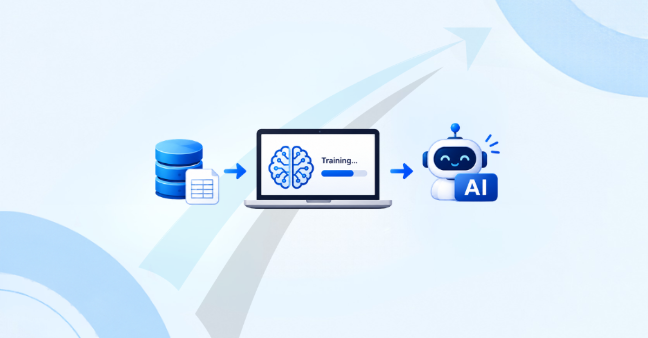
You're not the first to wonder how to train your own machine learning model. Most students who begin their AI education encounter that similarly thrilling obstacle: when they recognize how easy it is to build an AI, and that it can be done without anyone wearing a lab coat… or working for a tech giant. Many machine learning models can be trained from scratch, using just free libraries and a basic inexperienced method, and with no specialized computers or equipment. From learning about exactly what machine learning is, to building your initial machine learning model, to gauging the efficiency of the model you created is accurate. By the end of this guide, you will be the proud parent of your very own AI, and that is a great achievement.
What Is Machine Learning, Really?
AI's machine learning, a technology used through AI, learns from data rather than relying on exact rules to instruct the computer. Before you’re dealing with a computer telling you to mark emails that they detect as spam, you give it thousands and hundreds of emails—both spam and not spam—and let it learn how to detect spam on its own. It's the essence of the concept. The model becomes proficient and makes predictions.
As a beginner in machine learning, you need to be familiar with three major types of machine learning:
Supervised Learning — the model is trained on the labelled data (data and correct output). This is commonly employed in most beginner projects.
Unsupervised Learning — the model discovers some patterns in the unlabelled data. Best suited for clustering, or anomaly detection.
Reinforcement Learning — learns by trying and rewarding; correct decisions rewarded. Imagine video game artificial intelligence.

Let's stick with supervised learning, as it is the simplest type of learning to get started with, and is used to create some of the most useful applications of AI in the real world, such as spam filtering and Netflix recommendations.
Tools You Will Need Before You Start
The good news? This requires no fancy software and expensive hardware. This tutorial relies on free, open-source tools for the entire ML machine learning pipeline. If you want to know what tools to spend time on as a student, then don't miss out on this guide to best free AI tools for students - ranging from code editors to datasets. Below is what you can start with:
Python 3.8+ — the programming language for data science and AI. Can be installed freely from python.org.
Jupyter Notebook or Google Colab — interactive documents in which you can write code and run it in chunks. No installation is required for Colab.
The most pythonic beginning-oriented machine learning library: scikit-learn. Installation options: pip install scikit-learn
Pandas & NumPy — for data loading, cleaning and manipulation.
Matplotlib / Seaborn — to visualize your data and findings.

When using a school computer or Chromebook, Google Colab is your best friend: just open a browser, navigate to colab.research.google.com to get a full Python ML environment for free.
Understanding the Machine Learning Workflow
It's useful to first explore the overview of each step that goes into a machine learning project before starting to write code. These steps constitute the so-called ML pipeline:
Step 1 – Problem Definition: What do you need to predict? Do students pass or fail (e.g., . . . ?)
Step 2 – Collect & Load Data: Identify a dataset that is related to a problem.
Step 3 — Explore & Clean Data: Learn about your data and correct missing values, get rid of noise.
Step 4 — Feature Engineering: Work on selection/transforming input variables used by model.
Step 5 Split Data: Break into a training set and a testing set usually 80/20.
Step 6 — Train the Model: Train your algorithm with your data.
Step 7 — Evaluate Performance: Run model on new data and calculate accuracy.
Step 8 — Improve & Iterate: Go back to tune your model and repeat.

At every level, the same type of loop is employed by a professional. These same steps are used in the Data Science & AI Program of Sky States but are structured and presented in a bite-sized way for those who have no background in coding or programming.
In the 14-week course, learners will build a machine learning model using hands-on, practical examples that require application to analyze real-world data.
Building Your First Machine Learning Model — Step by Step
We will create a flower species predictor based on the measurements of the flower. Her use of the well-known Iris dataset — one of the easiest to use datasets in the entire machine learning scope. Let's follow step by step through the code.
STEP 1: Load and Explore the Dataset
There is no need to download the Iris dataset as it is present in Scikit-learn by default. We provide you with the following, which you can run in your Jupyter Notebook or Google Colab:
PYTHON
# Step 1: import the libraries and load the Iris dataset
import pandas as pd
from sklearn.datasets import load_iris
iris = load_iris()
df = pd.DataFrame(iris.data, columns=iris.feature_names)
df['target'] = iris.target # 0, 1, 2 = the three flower species
print(df.head())
Sets 150 flower samples and applies 4 features to each of them. The species are represented by 0, 1 or 2 in the target column. Run df.describe() to get a statistical summary.
Step 2: Split Into Training and Testing Sets

You never test a model on the same data that it learned from — that's like studying the exam answers and thinking that you are smart! Use Scikit-learn's train_test_split:
PYTHON
# Step 2: split the data into training (80%) and testing (20%) sets
from sklearn.model_selection import train_test_split
X = df[iris.feature_names] # input features
y = df['target'] # labels we want to predict
X_train, X_test, y_train, y_test = train_test_split(
X, y, test_size=0.2, random_state=42
)
80 percent data helps to train the model, 20 percent to test it. By using random_state=42, the split is reproducible (the same split every time you see it again).
Step 3: Train Your First Model
We'll build an algorithm which makes predictions using a series of yes/no questions about the data: a Decision Tree (this is similar to a flowchart)
 .
PYTHON
# Step 3: train a Decision Tree classifier
from sklearn.tree import DecisionTreeClassifier
model = DecisionTreeClassifier(max_depth=3, random_state=42)
model.fit(X_train, y_train)
That is it. After 120 training examples, 2 lines and your Model learned. The max_depth=3 parameter sets the maximum depth that the tree will grow; this will help mitigate overfitting because the dataset is small.
Step 4: Evaluate Your Model's Performance
Now test it with the 30 samples that it hasn't seen before:
PYTHON
# Step 4: evaluate the model on data it has never seen
from sklearn.metrics import accuracy_score, classification_report
y_pred = model.predict(X_test)
print(f'Accuracy: {accuracy_score(y_test, y_pred):.2f}')
print(classification_report(
y_test, y_pred, target_names=iris.target_names
))
Typically a well-tuned Decision Tree on the Iris dataset will have a recognition rate of 95% or better. The classification report does this by class — on this report you will find precision, recall and f1_score, three metrics that will show up in nearly every scenario you encounter on your journey in machine learning.
Comparing Popular Beginner-Friendly ML Algorithms
After training the first model, the next question that springs to mind is, What algorithm shall I use for my next project? The following is a straightforward comparison to make the decision. To learn more about the applications of these algorithms in real-world AI projects, be sure to check out the blog's top 20 AI projects for beginners.
Common Mistakes Beginners Make (And How to Avoid Them)
Even the most ardent ML students trip into the same traps. These are the most usual ones – it's helpful to recognize them upfront to get a head start.
Data Leakage — unintentionally using test data in your training. Always split data before any data preprocessing requiring statistics such as scaling.
Overfitting — the model learns the training data, but not to test data. Reduce complexity or to correct it by doing cross validation.
Not doing any Data Exploration — "just jumping straight onto training without any visualizations". Always explore first.
Class Imbalance — Be careful of an imbalanced dataset giving off inaccurate accuracy scores. Be sure to utilize F1 Score and SMOTE among different techniques.
Only believing in accuracy is an incomplete picture of the quality of a model: precision, recall and AUC-ROC give a much truer assessment of the quality of a model.
What Comes After Your First Model?
Training is only the first step in the model building process. It's in the real growth as you begin to ask tougher questions: How can I get it accurate? Would it be worthwhile to use a neural network? How can I get this out there to be used by others? You'll learn how to move from being a beginner to a practitioner in deep learning, real-world messy data and how to start creating a project that solves real problems. Learning about the difference between approaches is useful — the guide on Deep Learning vs Machine Learning provides great detail on when to use which and what skillset they require.
These are the same projects from which many students go on to have real careers in AI and data science. In fact, the student success stories at Sky Reviews demonstrate that people with diverse backgrounds, no prior coding experience, have successfully exited careers in tech through a structured coding curriculum.
However, there are some additional topics to explore beyond algorithms: feature engineering (making smarter data), training a model with hyperparameter tuning using GridSearchCV, publishing your model as a Streamlit application, and logging experiments using MLflow. These are all additional skills that you will be adding on top of things you learned today.
Frequently Asked Questions (FAQs)
Do any advanced math skills need for training a machine learning model?
Not Beginner Level. Algebra II from high school and a general knowledge of statistics (averages, distributions etc.) suffices to start with. The complexity of math is taken care of by libraries such as Scikit-learn. Everything is better in terms of linear algebra and calculus — particularly deep learning — for more advanced students, but not essential on day one.
How much data is required to train the first model?
It depends on the problem, but classic beginner data sets such as Iris (150 rows) or Titanic (891 rows) are sufficient to master the whole ML workflow. In real projects, it is better to have a good sample of a small data set than a bad sample of a large one (a clean 1000 row data set is better than a messy 1000,000 row data set).
What is the difference between machine learning and deep learning?
The wider of the two is machine learning. One of its major subfields is deep learning, which relies on deep meta-algorithms consisting of multiple layers of neural networks, learning from huge amounts of unstructured data, such as images and text. Traditional ML is super on structured tabular data and it's more easy to understand. Deep learning has a significant need for more data and power, but performs more complex functions.
Is there a way to train a Machine Learning Model without coding?
Yes, there will be no-code interfaces, such as Google AutoML and Azure ML. But writing code provides much more control, flexibility and value to your career. While wonderful training wheels, you will likely want to leave no-code tools behind sooner or later.
How long does it take to be good at machine learning?
Most pupils make good progress in a period of three to six months and emerge into full competence by focusing on the practice for between 1 and 2 hours per day. The difference between those who are employed and those who remain forever in "Beginner" state is building real projects and not just doing tutorials.
Conclusion
You don't need to be scared of training one of your first machine learning models. In this tutorial, you learned the basics of machine learning, you created a free toolkit, you traversed the eight-step process, and you were able to create, train and test a machine learning model using the Iris dataset in just a few lines of Python - that's roughly 200 lines total. Moreover, you identified how some of the most widely used algorithms for beginning programmers are different and what sorts of problems you might encounter as you advance.
The next best thing is to continue to grow: use another dataset and get the performance of a new Random Forest and see the differences, or repeat with another dataset and examine the differences. Seek advance mentorship and hands-on projects from zero-to-job ready with structured guidance; turn the curiosity into a career with the Data Science & AI Program at Sky States and become a true AI professional.