DevSecOps in Practice: Integrating Automated Security Scanning into CI/CD Pipelines
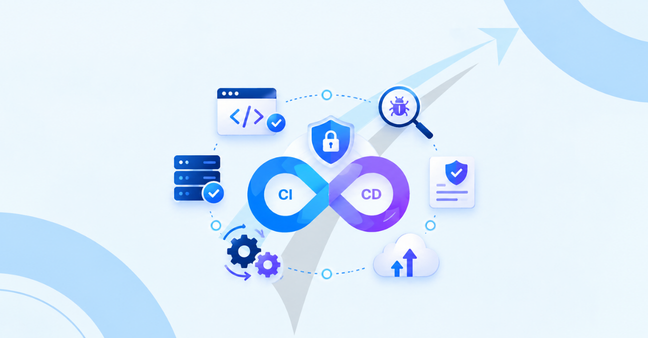
By automating security scanning into a continuous integration and continuous delivery (CI/CD) pipeline, modern engineering teams can uncover vulnerabilities, leaked API tokens, or compliance issues during the pull request staging period and not just before production deployment. DevSecOps brings security tools closer to the pipeline stages, routing vulnerability verification to the left side of the pipeline and moving the security process from a manual bottleneck to an automated quality gate.
To appreciate the Shift Left Movement.

The first thing to close the loop on DevSecops is to realize that it represents a departure from the traditional software engineering process of performing app security at the end of the software development lifecycle (SDLC). In the past, development teams would rush code into staging builds, followed by release candidate builds being halted by the security auditor when a vulnerability is identified that required resolution before release. This rubbed reduced the release velocity, raised triage expenses and created an emergency patch.
In the modern era of DevSecOps, this model is the opposite approach – and security operations are integrated into the pipeline at all times. With every commit and build, developers can find vulnerabilities while they're fresh in their minds, and it only takes a few minutes to fix instead of weeks.
Industry Context: Emerging Supply Chain & Security Realities

Mid-air headlines and a whole lot of hectoring are dominating devsecops news these days, giving an indicator of a significant paradigm shift in the way cyber attacks are carried out against software delivery. Modern CWE exploits do not only focus on direct software defects, but attack the infrastructure of CI/CD pipelines, as well as third parties.
High-Profile Attack Vectors & Compliance Pressures
Malicious packages are added to open source package stores like PyPI or npm, which leads toSoftware Supply Chain Attacks targeting the unpinned versions of dependencies, compromising the internal build processes.
Hard coded credentials and private API keys transferred to public or private Git repositories continue to be a big method for breaches of corporate information.
In infrastructure-as-code (IaC) cloud environments, the configuration often deviates from the baseline security policy, with public cloud storage buckets open or SSH ports exposed.
Requirements such as SOC 2, ISO 27001, and HIPAA now put a clear emphasis on the need for automated, audit-ready continuous monitoring of all software pipelines.
Practical Steps for Adding Automated Security Scanning to My CI/CD Pipeline

The challenge of implementing continuous scanning is one that should be done in increments. It is not feasible to have block-on-fail policies for all scanners on day 1; otherwise, development teams would be paralyzed with false positive, broken builds. Learn how to implement automated security scanning in my CI/CD pipeline and maintain speed while having security guardrails using these practical steps according to industry standards taught in DevOps & Cloud Computing Training.
1.Install Pre-Commit and Git Hooks
Get catch credentials before they come to the central repository. Install pre-commit hooks on your developer machines to check for any API keys in the diff, for private certificates in the diff and for any strings containing a database.
2. Apply SCA and SAST during BUILD processing!
Immediately post-compile Static Application Security Testing (SAST) and Software Composition Analysis (SCA). SAST is an analysis of application source code to detect vulnerabilities inside the applications, while SCA is an analysis of third party libraries compared with common CVE libraries.
3. Scan Container Images and Infrastructure Configurations
Before artifacts are pushed to container registries, analyze Docker files, Helm charts, Terraform manifests and container base image. This facilitates cloud policies aligning with baseline security standardisations.
4. Apply Dynamic Testing in Staging
Perform Dynamic Application Security Testing (DAST) on real world application endpoints within the process of live staging environments to check for real-time authorisation control and header configurations.
DevSecOps Best Practices for Automating Security Checks in CI/CD
For an uninterrupted and smooth adoption of the scanning process, teams need to apply some well-established DevSecOps best practices for implementing automation for security checks in a CI/CD:
Run Scans Asynchronously When Necessary: Regular deep / time consuming scans can be scheduled for nights, light automatic scans / pull-requests should be under 5 minutes.
Set scanner policy failures to high and critical severity vulnerabilities, mark medium and low “informational tickets”:
Aggregate Vulnerability Triage: Forward scanner alerts a central security dashboard (e.g. Dependency-Track or DefectDojo) to minimize alert fatigue in different pursuit tools.
Feature Spotlight: Best Secret Management Tools Enterprise DevSecOps

When these types of codes are hardcoded in configuration files and in source repositories, they are one of the most common ways that cloud infrastructure is compromised. There is a need for enterprise teams to have dedicated secret management and detection platforms to remove anything sensitive from the source code altogether.
Enterprise Secret Management & Detection Tools Comparison
Identifying the ideal secret management products to deploy in the enterprise devsecops environment demands considering whether native developer workflows meet the needs of the runtime infrastructure. For more details on automation approaches, check out the Sky States technical guides.
Key Technical Comparisons
The right security tools and CI/CD infrastructure can help dictate the smoothness with which security guardrails fit into developer workflows.
1. SAST vs DAST vs SCA: Which Should Run in CI, and When?
2. GitHub Actions vs Jenkins vs GitLab CI for Implementing Automated Security Scans
Frequently Asked Questions
Which security scans should I run at each stage of my CI/CD pipeline?
Detection and lightweight SAST is run on pre-commit hooks and pull-request builds providing developers with speedy feedback. Run full SAST, Software Composition Analysis (SCA), scanning of containers and Infrastructure as Code (IaC) linting as part of the build process. Use "full integration security suites" or "Dynamic Application Security Testing (DAST)" for post-deployment testing in a dedicated Stage environment.
How can I automate fixing or triaging findings from CI/CD security scans?
Have automated dependency updating bots (like Dependabot or Renovate) make automated pull requests when patch releases are made that fix known vulnerabilities (CVEs) or security issues. Vulnerability triage: Opportunities for integrating vulnerability scanning results with modern central management platforms, like DefectDojo. Define rules to suppress false or duplicate alerts automatically and automatically route actionable issues directly to developer bug tracker programs such as Jira.
When should a build fail, rather than give an alert?

Only failure is encountered when there are active, validated High/Critical severity vulnerabilities found by scanners with an active exploit (high EPSS) or violations of explicit corporate compliance rules (such as hardcoded production credentials or non-compliant software licenses). Don't block or prevent build pipelines to High, Medium, and Low found warning/alert messages.
How to get False Positives from automated security scanners in CI/CD?
Apply scanner configuration files (.sast-ignore file or tool-specific rulesets) directly in source code repository—excludes test directory, mock data, vendor files. Review the rules periodically to fine–tune regex patterns in collaboration with security experts; select a scanning tool that allows the "contextual" analysis of vulnerable code paths, meaning it can determine at runtime whether such paths are even at all accessible.
What's the recommended way to scan container images and IaC templates in pipelines?
Conduct scan infrastructure as Code (IaC) files (e.g. Terraform, Ansible, CloudFormation templates) prior to provisioning resources, as part of the build. To check container operating system packages and application binaries prior to pushing images to your container registry, run tools against container build layers such as Trivy or Grype against container images.
Learn to master DevSecOps with Sky States!
DevSecOps best practices take into account practical knowledge of modern CI/CD tools, cloud security, and automation.
At skystates.us, our DevOps & Cloud Computing Training Program provides hands-on experience setting up automated security gates, secret management architectures, and enterprise cloud pipelines.
Key Program Features
A model that links flexible online session live learning with hands-on sessions offline learning model.
Ultra-Small Batches: A maximum of 8-10 candidates per batch to ensure personalized attention.
Cohorts: Experience week-by-week training sessions based on a set group of participants on a weekly basis.
Hands-on Labs: Practical Sandbox experience – scale real-world CI/CD pipelines, Kubernetes clusters, and cloud environments.
Placement Assistance: Tuition office resume/cover letter support with complete job placement assistance.
On-going Career Advice and Technical Help from Mentors – Lifetime One-to-One Support for ongoing career advice and technical doubt resolution.
Visit skyreviews.us to learn about reliable career changes and what alumni have accomplished at companies looking for new hires.
Conclusion
It's once this continuous testing is integrated into CI/CD pipelines that the seeds of the bridge between quick software delivery and robust infrastructure protection are sown. With a mix of SAST, DAST, SCA, container scanning and automated secret management, the engineering teams are able to identify vulnerabilities earlier when they are at a time when they are easiest to remediate. These DevSecOps patterns help you to protect the software supply chain with impressive speed.